Assigning a contact to an organization in ATZ CRM helps streamline your workflow by keeping all relevant details grouped together. Follow these steps:
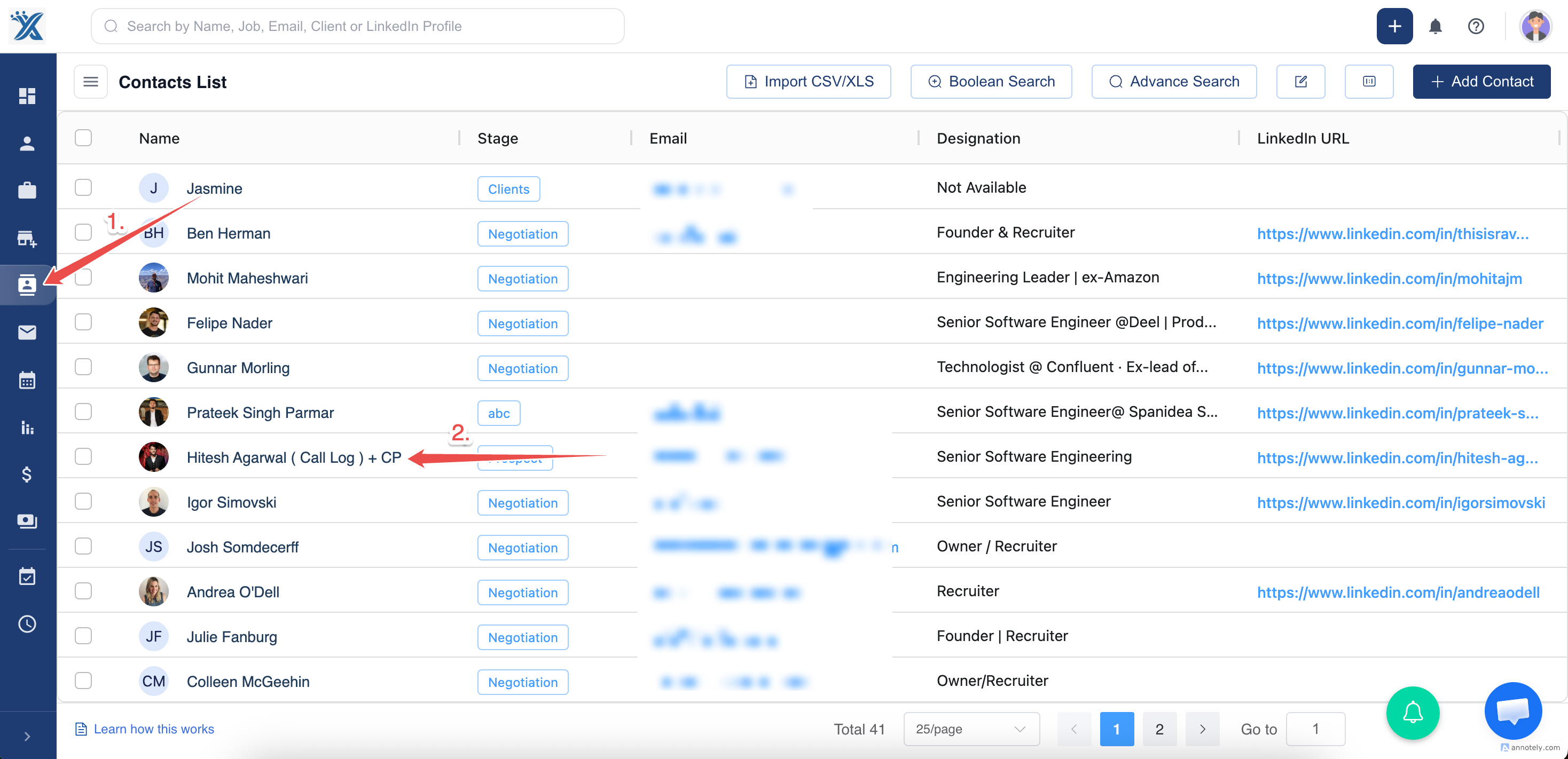
Step 1: Go to the Contacts section from the main menu.
Step 2: Click on the contact name to open their detailed profile page.
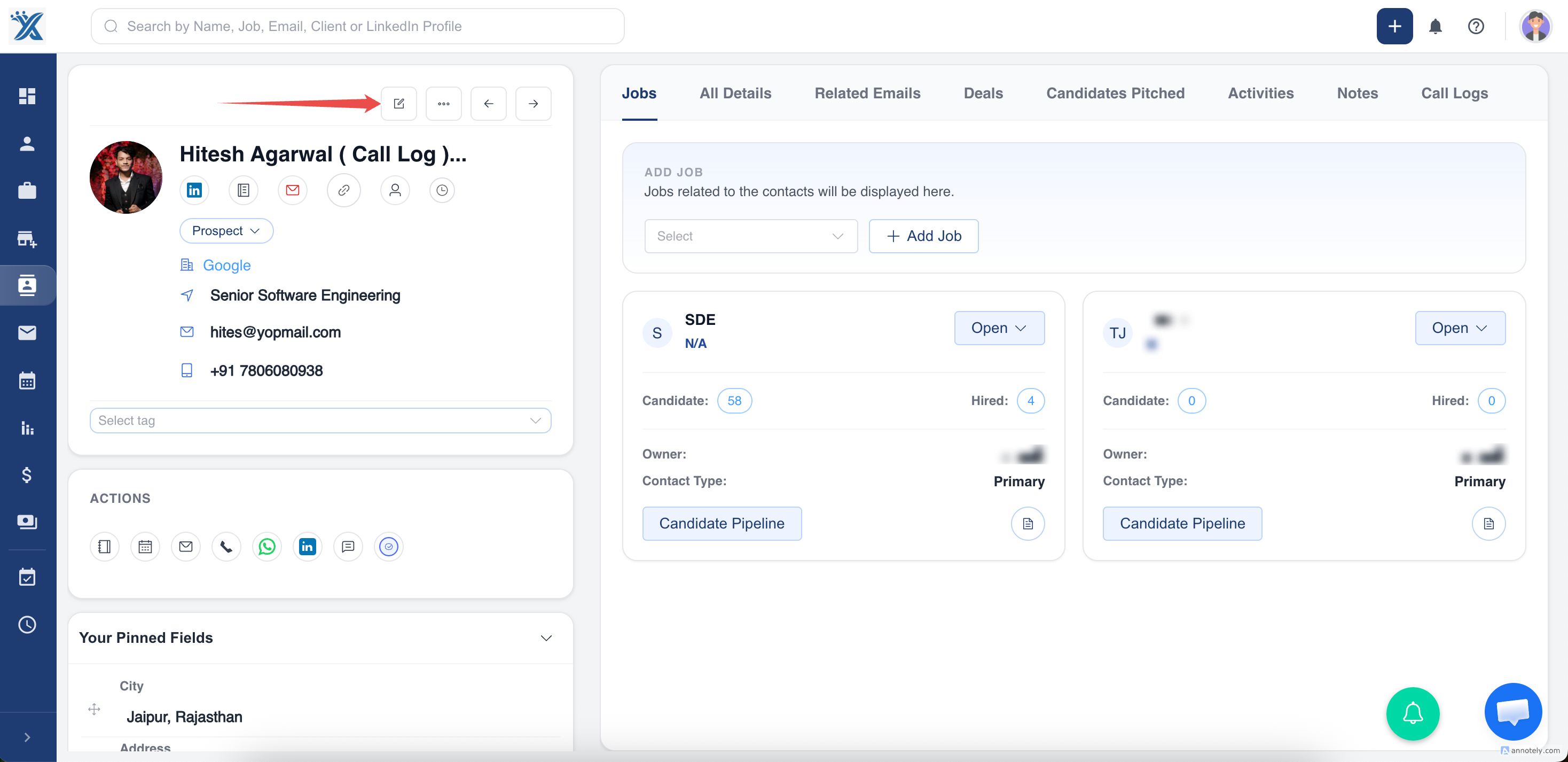
Step 3: Click on the edit option
Step 4: Locate the Organization field.
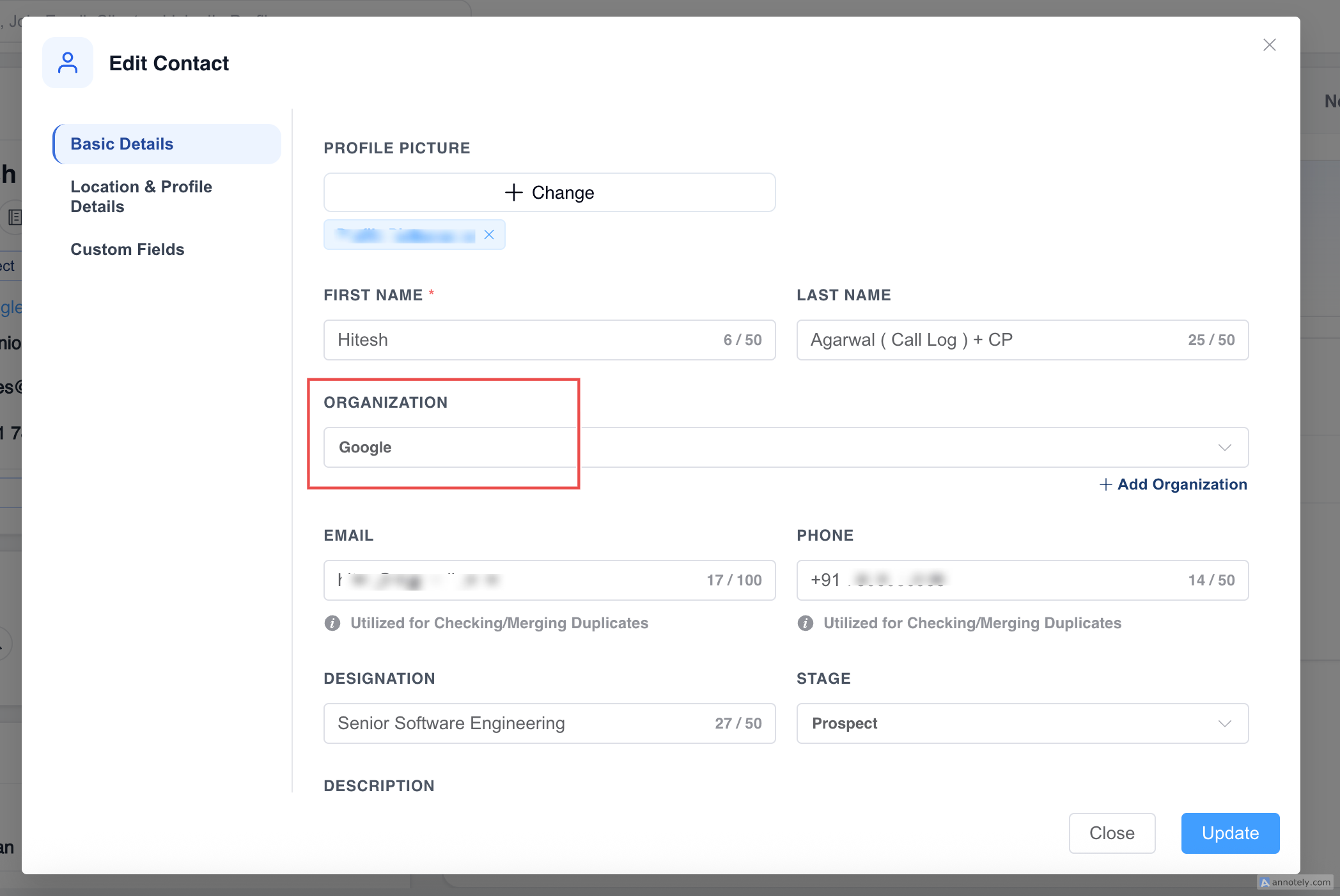
Step 5: Click on the field and start typing the name of the organization.
If the organization exists, select it from the dropdown.
Step 6: After selecting or adding the organization, click Update to apply the changes.
Done your contact is assigned to the organisation with few simple steps....hope this helps
Ready to optimize your workflow? Start assigning your contacts to organizations in ATZ CRM today!
Was this article helpful?
That’s Great!
Thank you for your feedback
Sorry! We couldn't be helpful
Thank you for your feedback
Feedback sent
We appreciate your effort and will try to fix the article