In ATZ CRM, assigning owners to records (such as candidates, leads, or job openings) is a key feature that helps streamline the workflow and ensure clear accountability within your team. The "owner" of a record is typically the team member responsible for managing and moving the record through its respective process or stages.
Here's how assigning owners to records generally works in ATZ CRM:
1. Click on the Candidates Entity in ATZ CRM.
2. Open the candidate profile or the record you wish to assign to a recruiter.
3. On the detail page, click on the Owner Button.
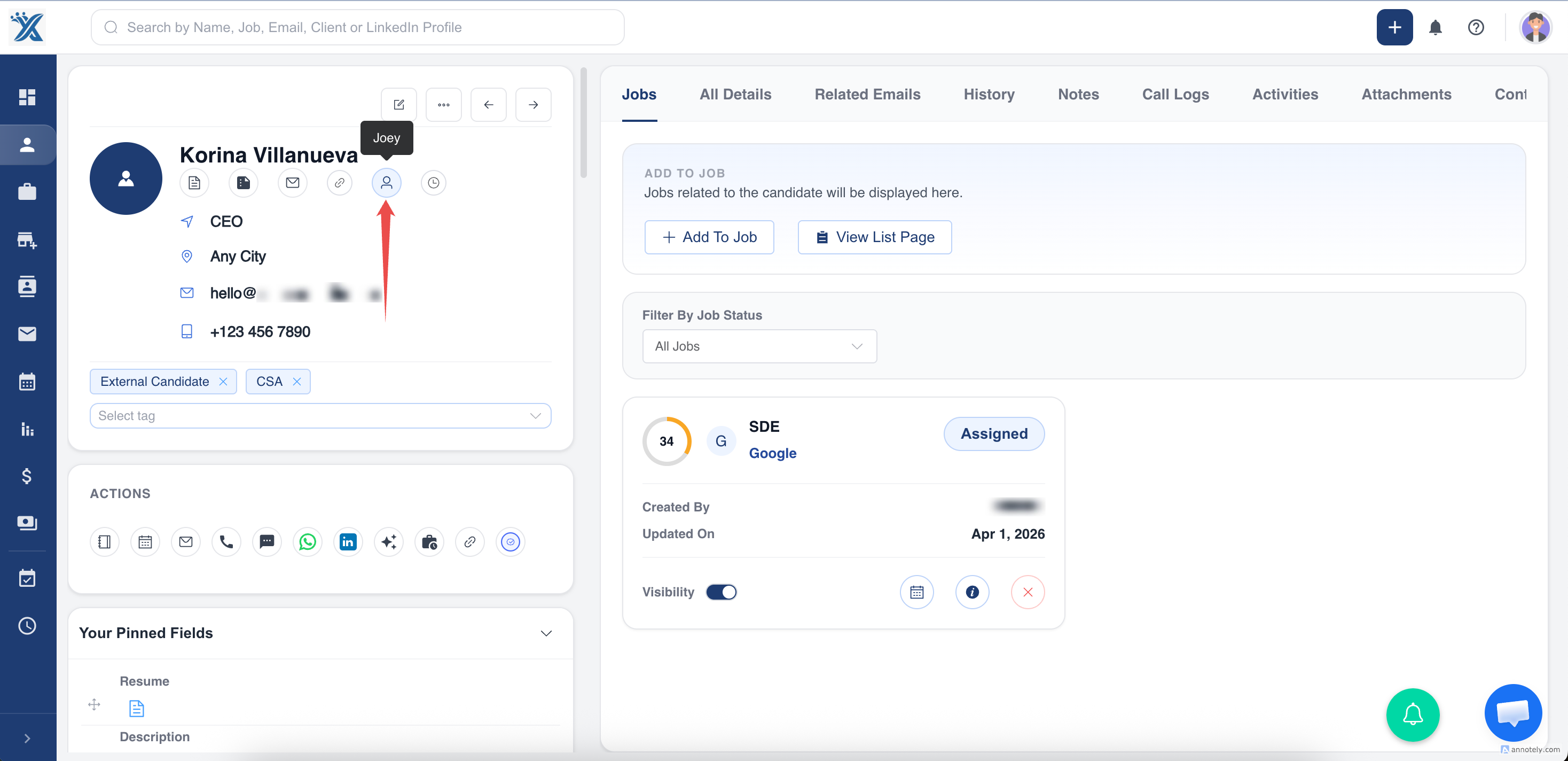
4. Select the team member from a dropdown list of available users.
5. Click on Confirm and save the changes. The new owner will now have access to manage the record.
Done, you have assigned owner to a record in ATZ CRM successfully!
Hope this helps :)
Was this article helpful?
That’s Great!
Thank you for your feedback
Sorry! We couldn't be helpful
Thank you for your feedback
Feedback sent
We appreciate your effort and will try to fix the article