Folders in ATZ CRM provide a streamlined way to manage candidates Here’s a step-by-step guide to help you edit, rename, or delete your Folders (Focus Groups)
Accessing the Folder Options
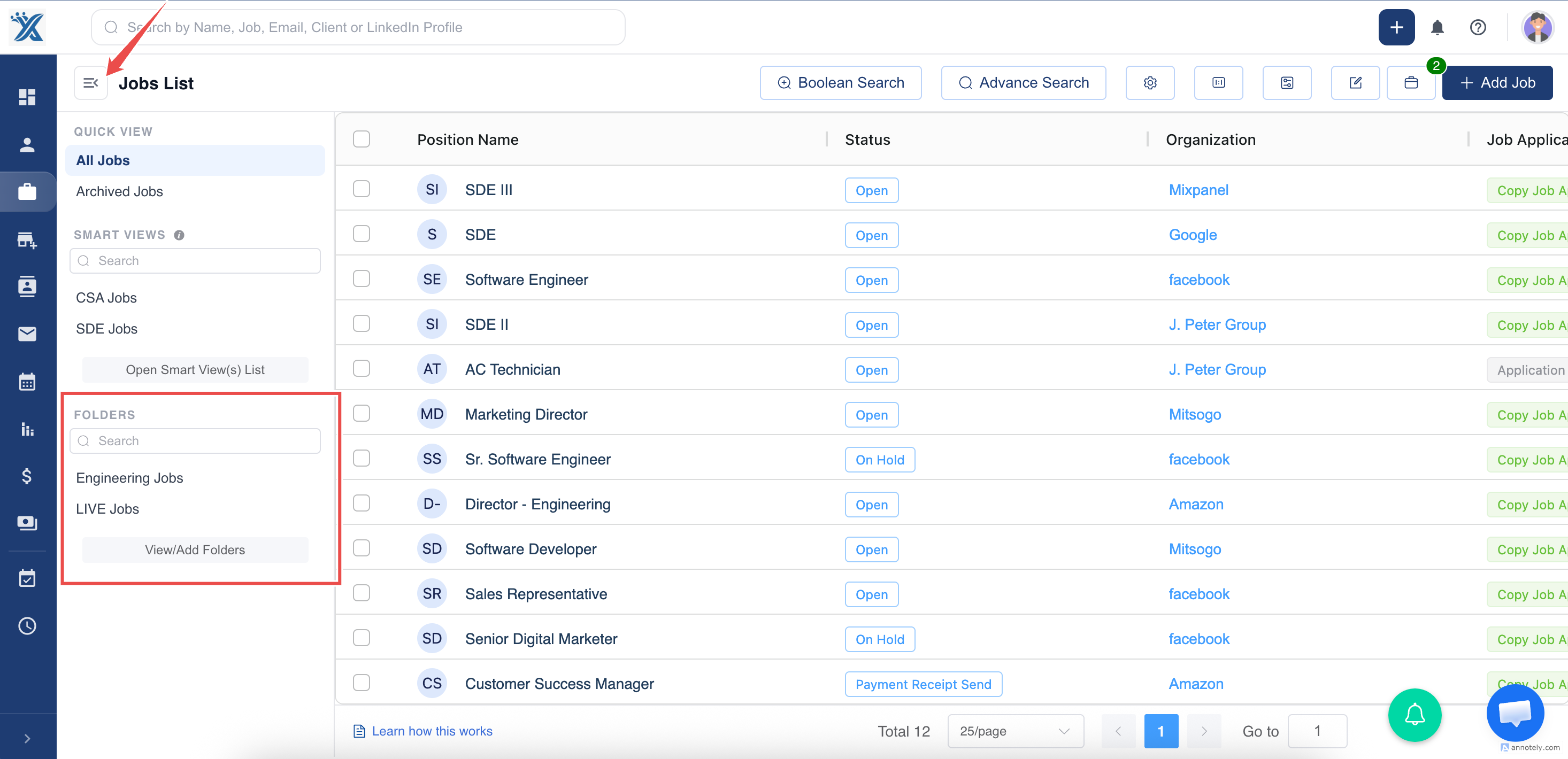
Step 1: Navigate to the Job section in ATZ CRM.
Step 2: Locate the "hamburger" menu on the top left
Editing or Renaming a Folder
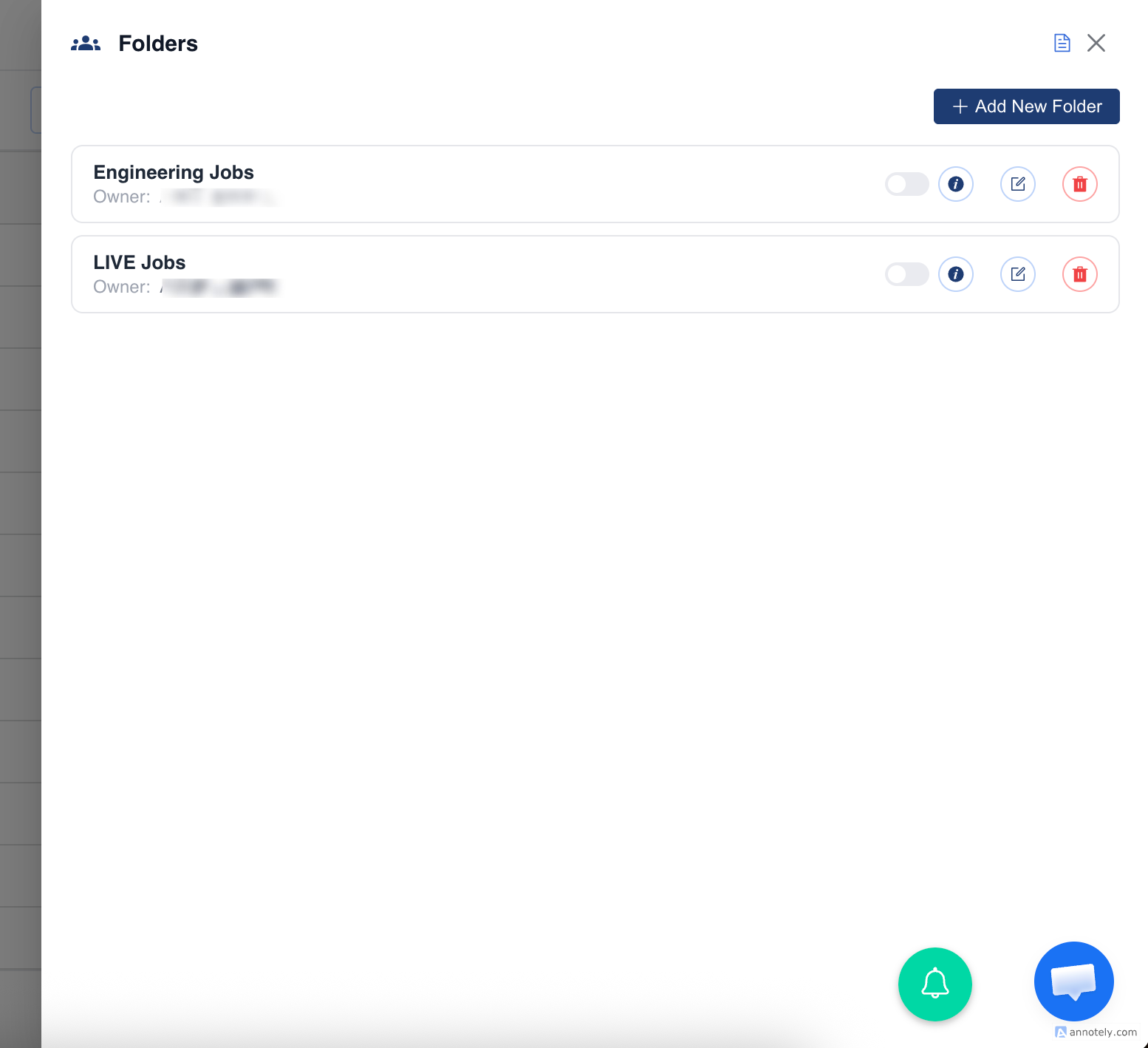
Step 3: Click on the "View/Add Folder" button from the menu.
Step 4: You can now update or delete the Folders

Deleting a Folders
> Choose the Delete option from the menu.
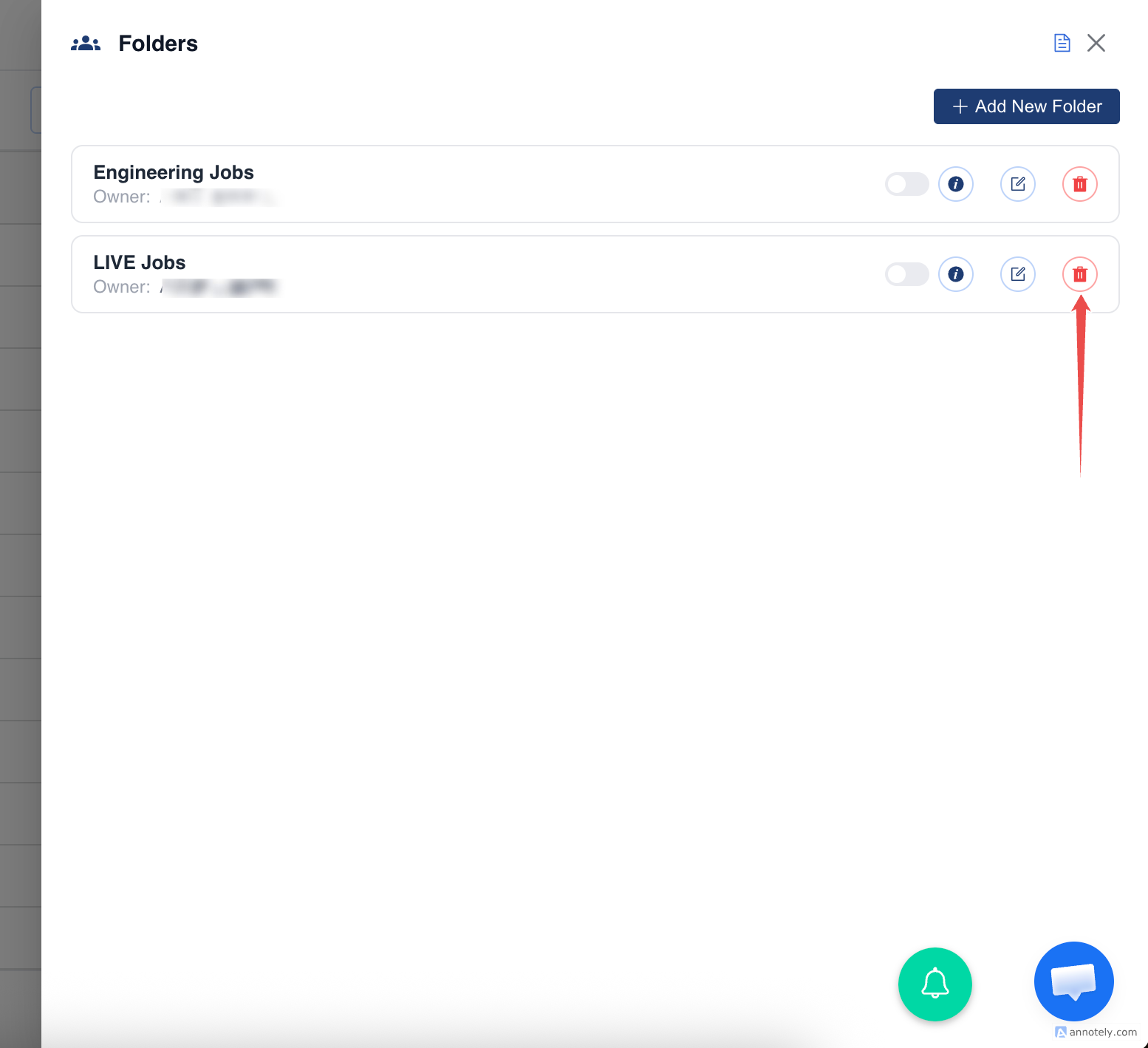
> Confirm the deletion when prompted. Be cautious as this action is irreversible.
Adding a New Folder
> Use the Add button available in the Folder section.
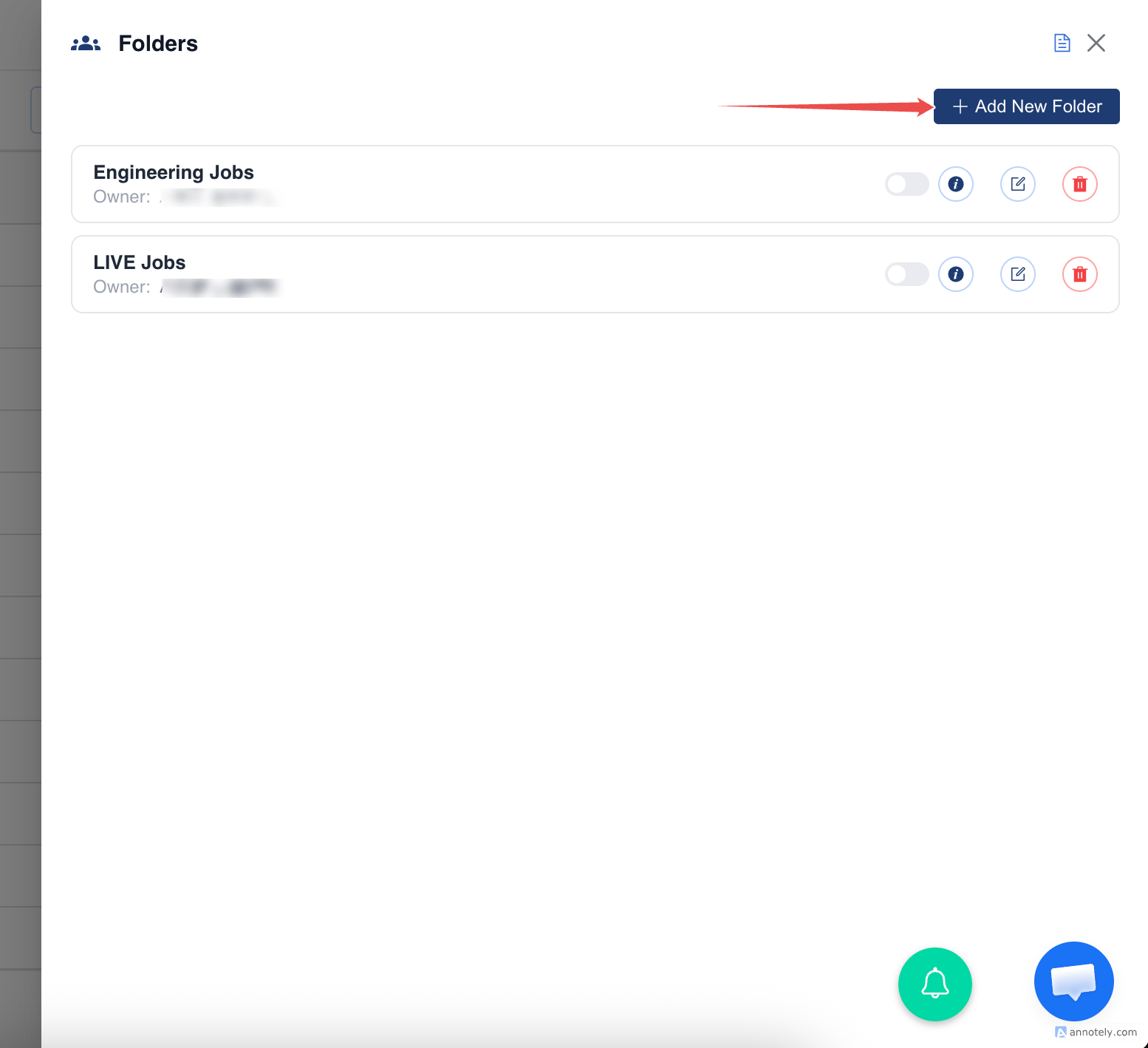
> Enter the required details for the new Folder.

> Click Add to create the Folder
For further assistance, reach out to the ATZ CRM support team.
Was this article helpful?
That’s Great!
Thank you for your feedback
Sorry! We couldn't be helpful
Thank you for your feedback
Feedback sent
We appreciate your effort and will try to fix the article